
Makeswift Embed is now HTML Embed
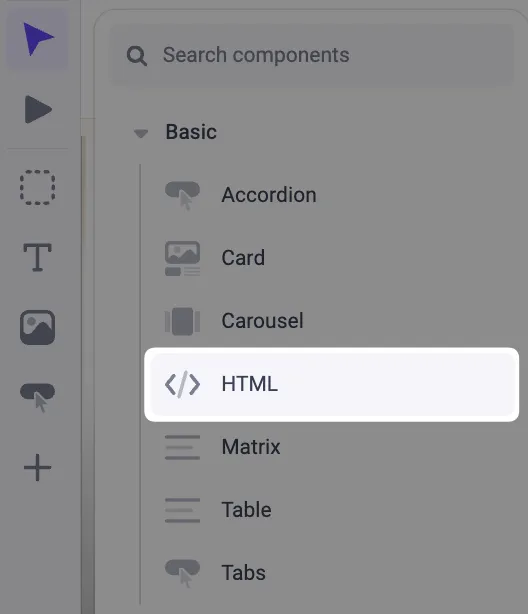
The Makeswift Embed component has been renamed HTML Embed to better describe what it does and to make it quicker to find when you want to add your own HTML. Functionality is unchanged.
Write a page’s element tree from the REST API
The Create Page and Update Page endpoints now accept an optional elements field, so you can set a page’s element tree when you create or update the page.
- Create: if you leave out
elements, the page starts with an empty root. - Update: if you send
elements, it replaces the page’s entire tree. - Tree shape: the root node has
typeset to./components/Root/index.js, akey(a UUID that’s unique within the tree), andprops. This is the same shape thatinclude=elementsreturns on Get Page. - Responses: Create Page and Update Page return
elements: null. To read the tree after a write, call Get Page withinclude=elements.
Error response changes
- A pathname that’s invalid or already in use now returns
400instead of409. A400is also returned for an invalid element tree. - Create Page returns
404if the site doesn’t exist. Update Page returns404if the page or its site doesn’t exist.
The elements field is in beta and may change. Requests that send it return 403 until the feature is enabled for your site or workspace. To opt in, contact support: support@makeswift.com.
For details, see Create Page and Update Page.
New preview toolbar
Preview mode now has a toolbar at the bottom of the page in place of the old Exit Preview button, giving you a clearer, more consistent way to move in and out of preview. The preview toolbar is part of @makeswift/runtime v0.29.0.

For details, see Previewing and sharing. To upgrade, see the v0.29.0 upgrade guide.