
Resource References in the Visual Builder
Some resource changes affect more than one page. Resource References show all of the places a resource is used, so you can add, edit, and delete resources with confidence.
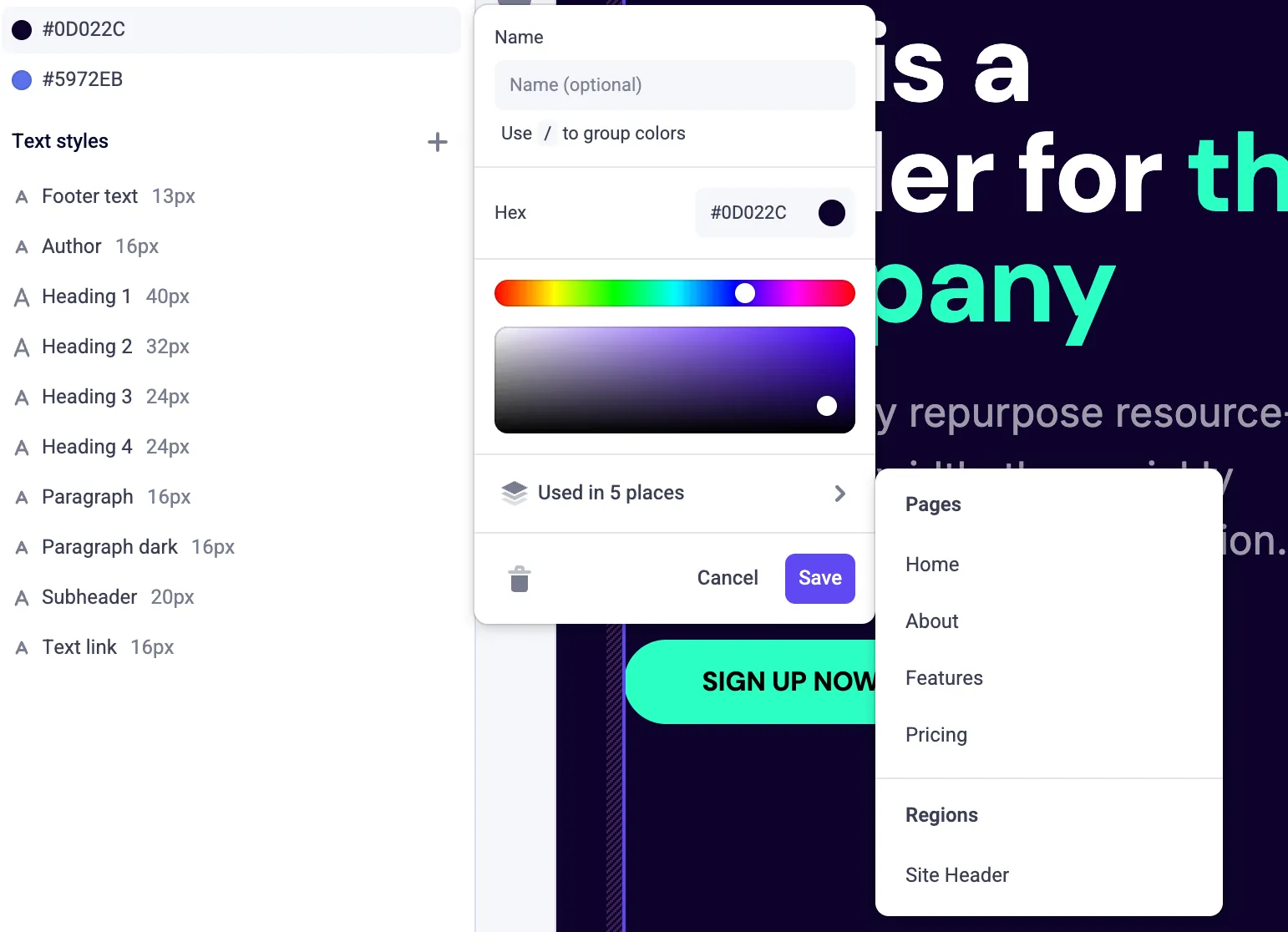
- Supported resources: colors, text styles, files, and global components.
- Usage count in context: a Used in n place(s) item appears in the resource’s Action Menu (⋯), or in a color or text style’s edit panel.
- Pages and regions: the submenu lists the pages using the resource, plus the regions using it. Click a page to navigate to it; regions are listed for reference only, since they can be shared across multiple pages.
- Locale aware: expand a page to see which locales use the resource, and navigate straight to that page in a specific locale.
References are tracked through pages and regions, not through global components or text styles. A color that is used inside a global component that is used on 3 pages will report as being used on 3 pages. If that global component is not used on any pages or regions, the color will show no resource references.
For details, see Resource References.