For AI agents: a documentation index is available at the root level at /llms.txt and /llms-full.txt. Append /llms.txt to any URL for a page-level index, or .md for the markdown version of any page.
Sign in
DocsAPI ReferenceChangelog
  • Get started
    • Quickstart
    • Concepts
  • Guides
    • Environments
  • Reference
        • Checkbox
        • Code
        • Color
        • Combobox
        • Group
        • Image
        • Font
        • Link
        • List
        • Number
        • Rich Text
        • Select
        • Slot
        • Style
        • Text Area
        • Text Input
      • Makeswift API Handler
    • Product docs
    • Blog
    • Support
Sign in
LogoLogo
On this page
  • Params
  • Prop type
  • Example
Reference@makeswift/runtimeControls

Combobox

Was this page helpful?
Previous

Color

Next

Group

Built with

Adds a Combobox panel in the Makeswift builder to visually edit a generic prop from a list of options.
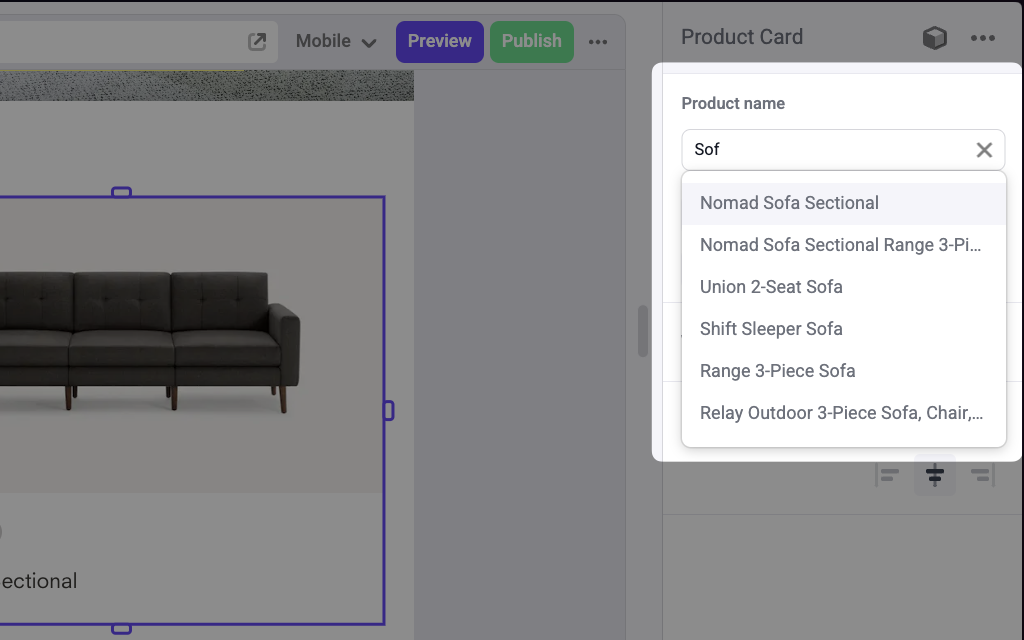
A Combobox panel on a Product Card component to pick a product by name

Params

label
stringDefaults to Text

Text for the panel label in the Makeswift builder.

description
string

The description shown in the Panel of the Makeswift builder. This can be written in Markdown format. Added in v0.24.8.

getOptions
getComboboxOptions<T>Required

A function that receives a query string and returns an array of type Option<T>. This function may be async to fetch options asynchronously.

1type getComboboxOptions<T> = (
2 query: string
3) => ComboboxOption<T>[] | Promise<ComboboxOption<T>[]>;
4
5type ComboboxOption<T> = {
6 id: string;
7 label: string;
8 value: T;
9};

The label field is displayed in the Makeswift builder and id must be unique.

Prop type

The Combobox control passes the generic type T from the selected Option to your component, or undefined if there is no value set in the builder.

Example

The following example adds a Combobox control to the product prop of a Product Card component.

1import { Combobox } from "@makeswift/runtime/controls";
2
3import { fetchProducts } from "../../../../../lib/fetchers";
4import { runtime } from "../../../../../makeswift/runtime";
5
6import { ProductCard } from "./ProductCard";
7
8runtime.registerComponent(ProductCard, {
9 type: "product-card",
10 label: "Product Card",
11 props: {
12 product: Combobox({
13 label: "Product name",
14 async getOptions(query) {
15 const products = await fetchProducts();
16
17 return products
18 .map((product) => ({
19 id: product.id,
20 label: product.name,
21 value: product,
22 }))
23 .filter((option) =>
24 option.label.toLowerCase().includes(query.toLowerCase())
25 );
26 },
27 }),
28 },
29});

.makeswift.ts is a naming convention for organizing Makeswift registration code. Learn more.