For AI agents: a documentation index is available at the root level at /llms.txt and /llms-full.txt. Append /llms.txt to any URL for a page-level index, or .md for the markdown version of any page.
Sign in
DocsAPI ReferenceChangelog
  • Get started
    • Quickstart
    • Concepts
  • Guides
    • Environments
  • Reference
        • Checkbox
        • Code
        • Color
        • Combobox
        • Group
        • Image
        • Font
        • Link
        • List
        • Number
        • Rich Text
        • Select
        • Slot
        • Style
        • Text Area
        • Text Input
      • Makeswift API Handler
    • Product docs
    • Blog
    • Support
Sign in
LogoLogo
On this page
  • Params
  • Prop type
  • Example
Reference@makeswift/runtimeControls

Slot

Was this page helpful?
Previous

Select

Next

Style

Built with

Add a Slot in the Makeswift builder to visually drop in a ReactNode.
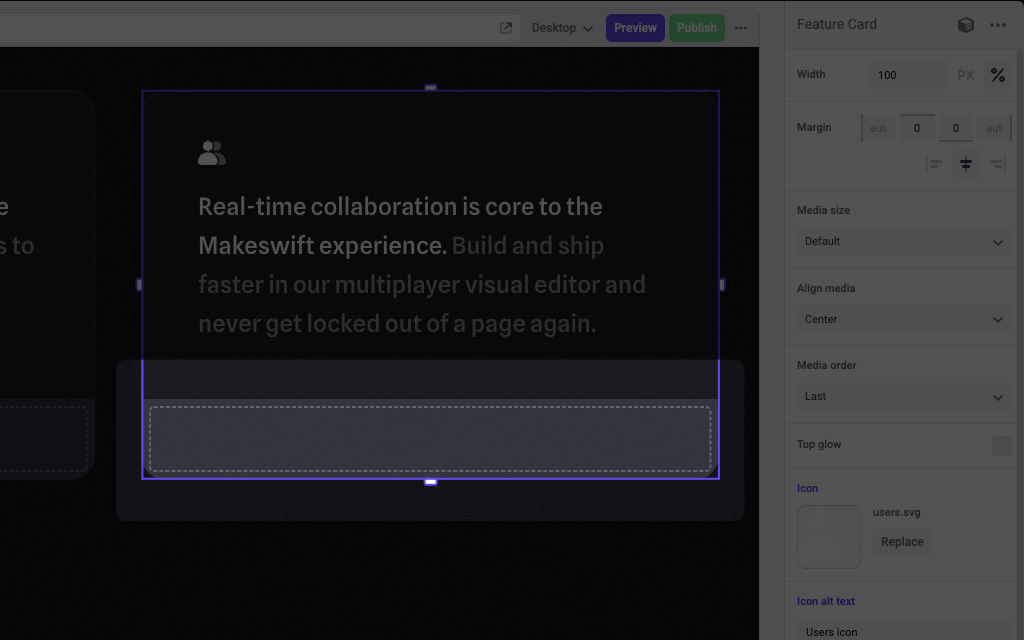
A slot inside of a Feature Card component

Params

The Slot control currently doesn’t take any parameters.

Prop type

The Slot control passes a ReactNode to your component.

Example

The following example adds a Slot control to the media prop of a Feature Card component.

1import { Slot, TextInput, Image } from "@makeswift/runtime/controls"
2
3import { runtime } from "../../../../../makeswift/runtime"
4
5import { FeatureCard } from "./FeatureCard"
6
7runtime.registerComponent(FeatureCard, {
8 type: "feature-card",
9 label: "Feature Card",
10 props: {
11 icon: Image({ label: "Icon" }),
12 headline: TextInput({ label: "Headline" }),
13 body: TextInput({ label: "Body" }),
14 media: Slot(),
15 },
16})

.makeswift.ts is a naming convention for organizing Makeswift registration code. Learn more.