Slot

Add a Slot in the Makeswift builder to visually drop in a ReactNode.
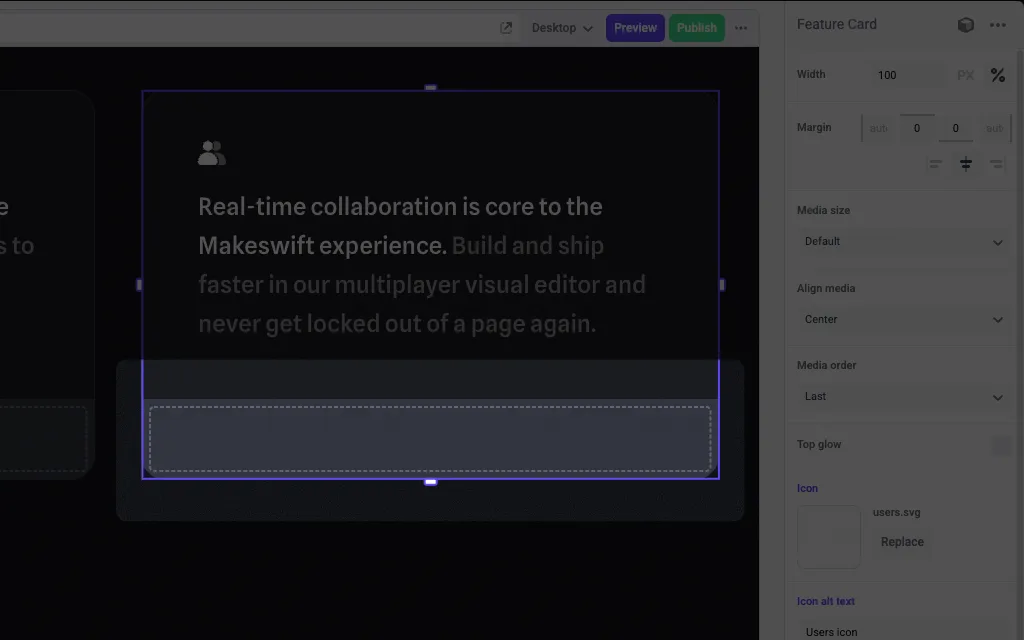
A slot inside of a Feature Card component

Params

The Slot control currently doesn’t take any parameters.

Prop type

The Slot control passes a ReactNode to your component.

Example

The following example adds a Slot control to the media prop of a Feature Card component.

import { Slot, TextInput, Image } from "@makeswift/runtime/controls"
import { runtime } from "@/makeswift/runtime"
import { FeatureCard } from "./FeatureCard"
runtime.registerComponent(FeatureCard, {
type: "feature-card",
label: "Feature Card",
props: {
icon: Image({ label: "Icon" }),
headline: TextInput({ label: "Headline" }),
body: TextInput({ label: "Body" }),
media: Slot(),
},
})

.makeswift.ts is a naming convention for organizing Makeswift registration code. Learn more.