For AI agents: a documentation index is available at the root level at /llms.txt and /llms-full.txt. Append /llms.txt to any URL for a page-level index, or .md for the markdown version of any page.
Sign in
DocsChangelog
DocsChangelog
  • Getting started
    • Introduction
  • The Visual Builder
    • Builder basics
    • Pages
    • Layouts
    • Elements
    • Components
    • Theming
    • Files
    • Responsive design
  • Guides
    • Previewing and sharing
    • Publishing
    • SEO
  • Settings
    • Developer docs
    • Blog
    • Support
Sign in
LogoLogo
On this page
  • Default vs custom host
  • Other Helpful Resources
Getting started

Introduction

Was this page helpful?
Next

Creating your site

Built with

Makeswift is a composable visual page builder designed to unlock speed and creativity for marketing teams.

With Makeswift, you can quickly build fully functioning websites with no-code. You have the ability to create pages, design layouts, manage colors and text styles, and publish your site for the world to see.

Looking for developer docs? Use the product switcher in the header to navigate between Product and Developer docs.
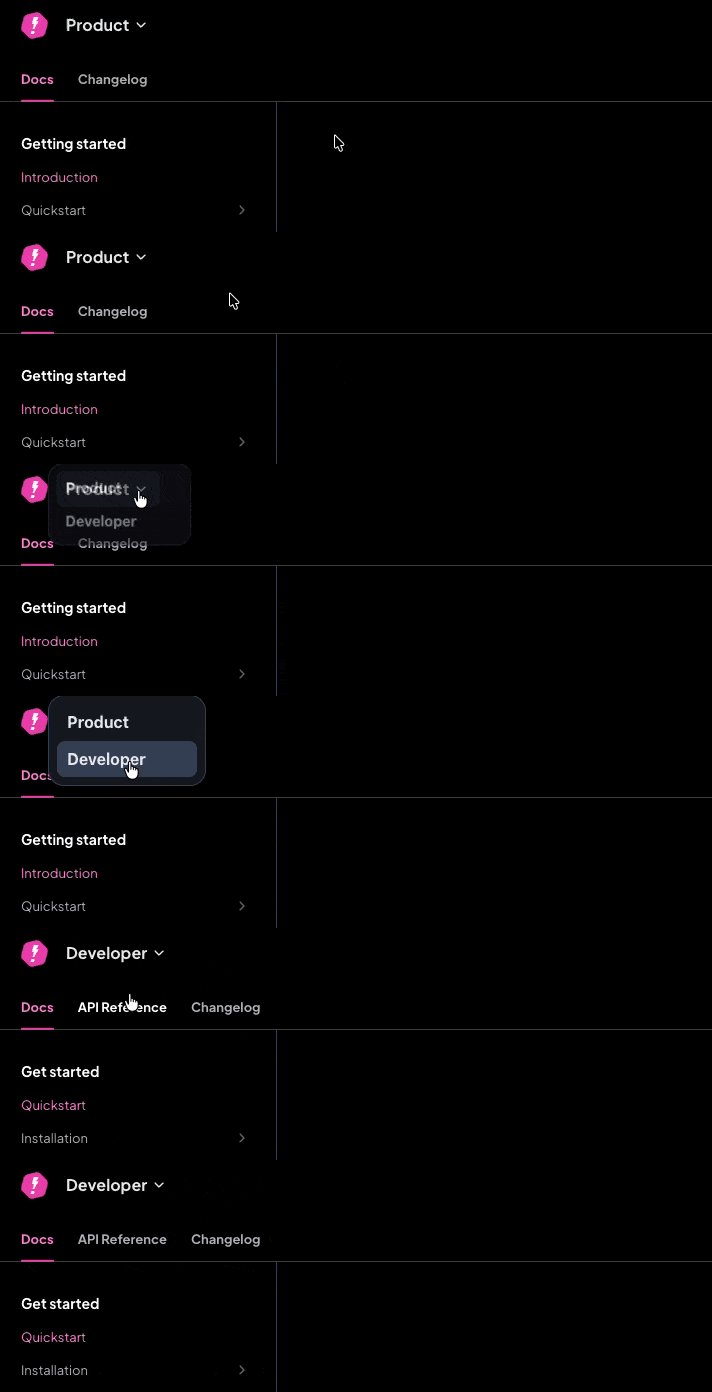
Product switcher

Visual Builder Quickstart

Create your first site with templates, components, theming, and responsive design

Developer Quickstart

Set up Makeswift in a Next.js project with custom components and hosting

Default vs custom host

Makeswift provides a free default host which allows you to publish your site without managing any of the hosting. This is the quickest way to get started.

For more advanced use cases, though, you can integrate Makeswift into a Next.js project that you deploy and host yourself. This is referred to as a custom host. By doing this, you can create custom components, integrate data sources, and have full control over your hosting.

For full details on how to integrate Makeswift into a Next.js project, refer to the Developer Quickstart.

Other Helpful Resources

Concepts

Learn terminology to help you easily navigate Makeswift

Visual Builder basics

Learn how to interact with instances of a component

Layout

Drag and drop elements on your page in the Makeswift Visual Builder

Components

Leverage the power of React components to build your site to spec

Theming

Standardize the theme of your page while optimizing for performance

Files

Manage files and images for your site

Responsive design

Design your website to be responsive across all devices

SEO

Optimize SEO for your site more easily than ever

Localization

Manage content across different locales

Publishing

Push changes to your live domain instantly