
Diagnostics
Learn how to use the Diagnostics dialog in the Makeswift Visual Builder to share diagnostic information with support and your development team.
The Diagnostics dialog in the Makeswift Visual Builder shows technical information about your site, the page you’re editing, and the connection between the builder and your host. Share this information when you need support from the Makeswift team or want to give your development team details about an issue you’re seeing.
Diagnostic information may contain sensitive details about your site configuration. Only share this information with trusted parties like the Makeswift support team or your development team.
Open the Diagnostics dialog
- Open your site in the Makeswift Visual Builder.
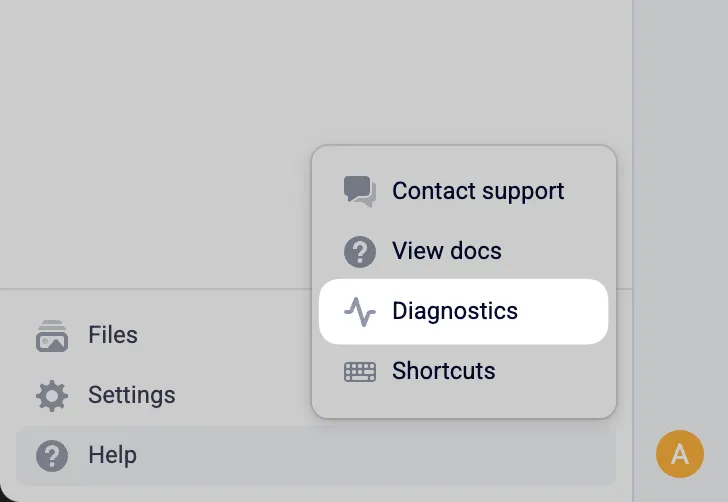
- Click Help in the bottom left of the Navigation Sidebar, then click Diagnostics.
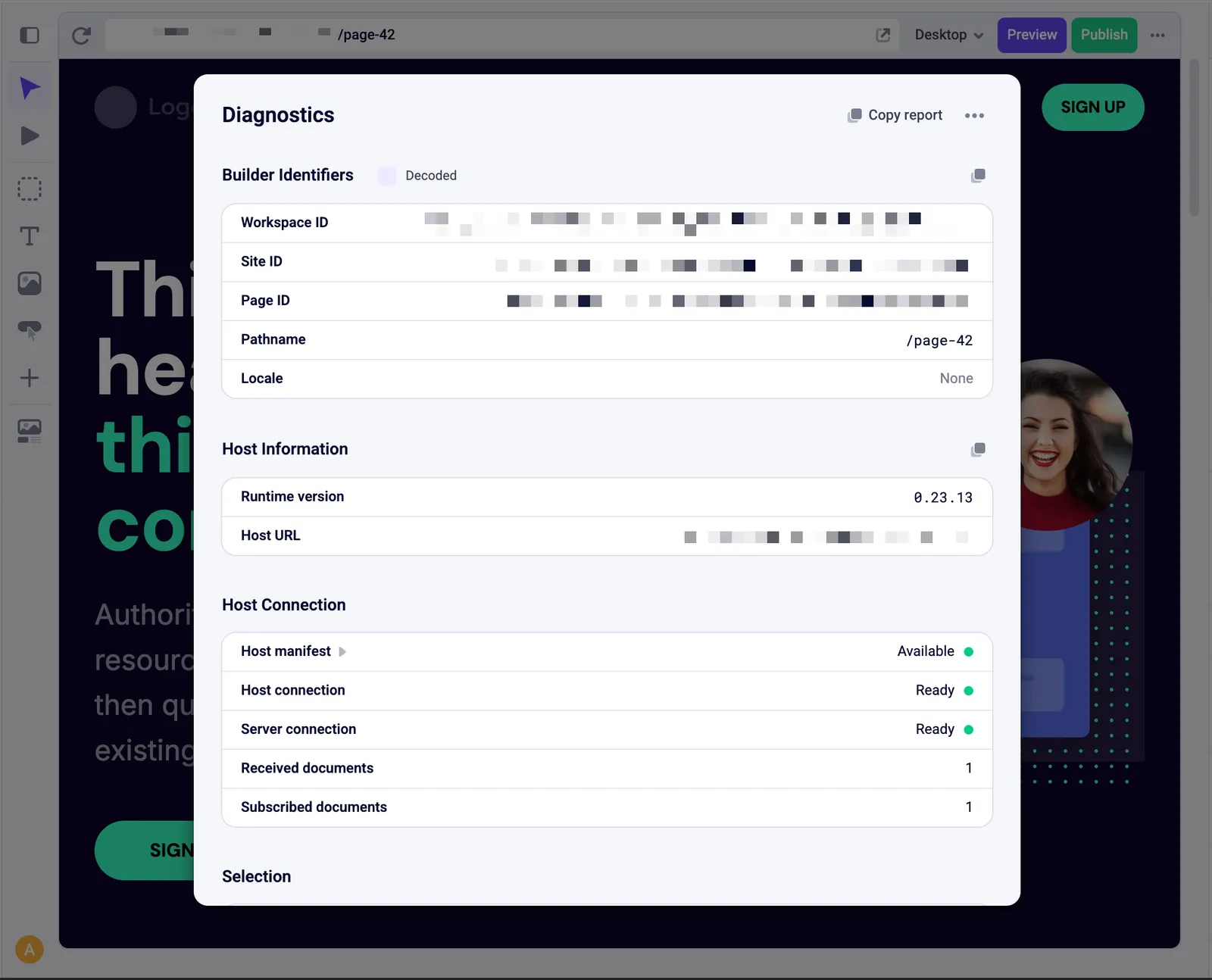
The dialog opens with the current diagnostic information for your session.
Share diagnostic information
You have a few ways to get the information out of the dialog:
- Copy report: Copies a basic set of information from Builder identifiers and Host information to your clipboard. Paste it into a support conversation or a message to your development team.
- Copy diagnostics: In the … menu, copies everything in the report plus more advanced data about your browser, the builder and host connection, and the selected element.
- Download diagnostics: In the … menu, saves the full diagnostics data as a ZIP file you can attach to a support request.
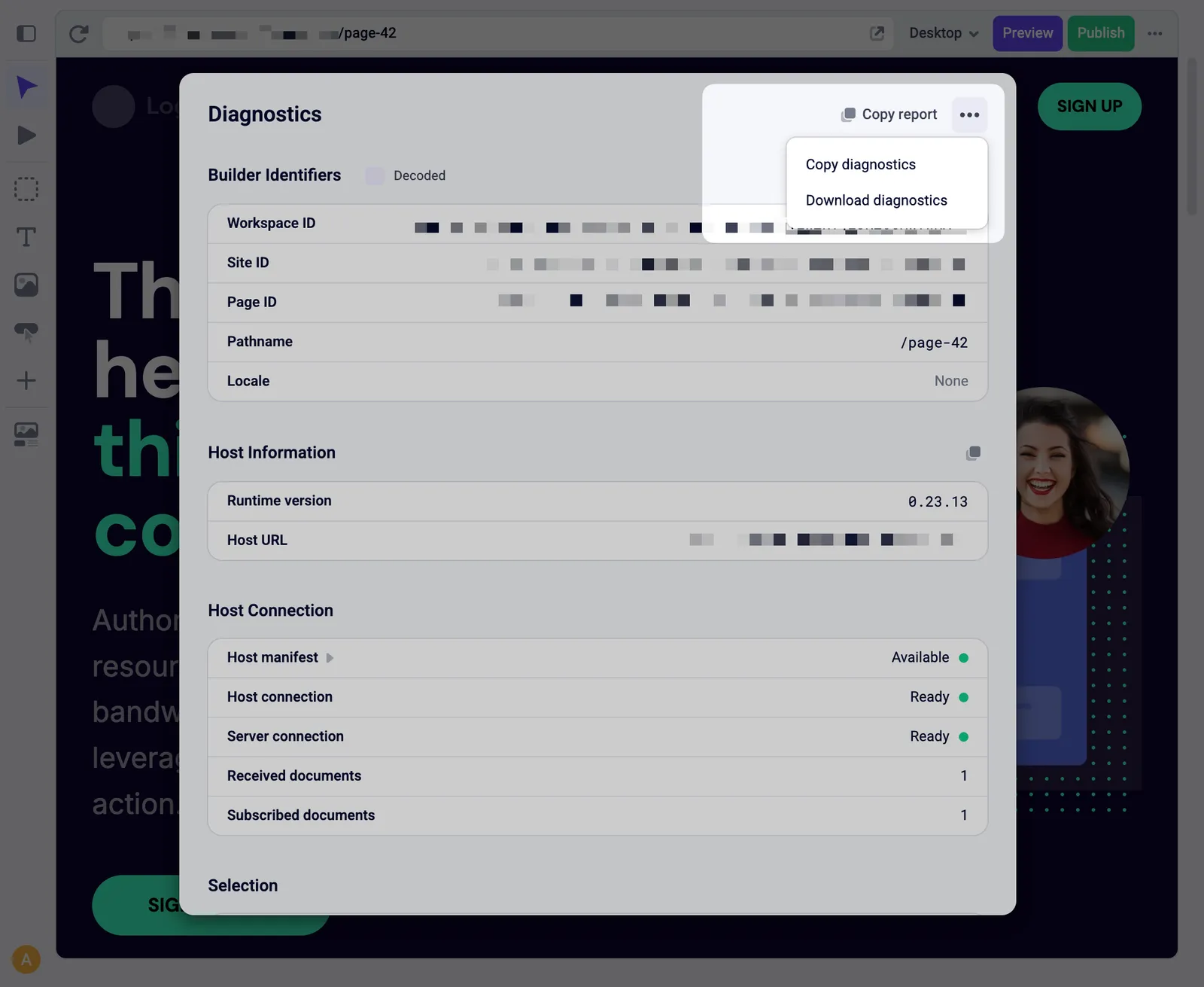
You can also copy a single section by clicking the copy icon next to its heading.
Included information
Diagnostics are grouped into these sections:
- Builder identifiers: Identifiers for your workspace, site, and current page, along with its path and locale.
- Host information: Details about the host serving your site, including the
@makeswift/runtimeversion it’s using. - Host connection: The state of the connections between the builder, your host, and the Makeswift server.
- Selection: Information about the currently selected element in the builder.
- Browser information: Details about the browser you’re using to edit the site.