
Pages Tab
View and manage your site’s pages.
The Pages Tab in the Site Sidebar allows you to view and manage your site’s pages.
A page is a single web page with a unique pathname in a Makeswift site.
Pages can be organized into collections. Collections act as folders to group related pages together without affecting the URL structure of your site.
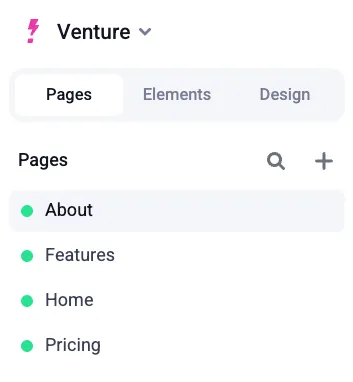
Managing pages
You can add new pages, edit existing ones by selecting them, and use the Action Menu to access additional options for renaming, duplicating, or deleting pages.
Adding a new page
- Click the + button at the top of the Pages Tab
- Select Blank page
Page actions
The Action Menu (⋯) next to each page provides the following options:
- Rename - Rename the page
- View page - View the page in a separate tab outside of the page builder
- Take online - Take the page online (only when it’s offline)
- Take offline - Take the page offline (only when it’s online)
- Edit URL - Edit the page URL
- Copy URL - Copy the page’s URL
- Duplicate - Duplicate the page
- Delete - Delete the page
Managing collections
Beyond individual pages, you can organize your content using collections. You can create unlimited collections and nest them within each other. Organize pages and collections by dragging and dropping them—they will appear in alphabetical order in the Site Sidebar.
Creating a new collection
To create a new collection:
- Click the + button at the top of the Pages Tab
- Select Collection from the menu
Adding pages to a collection
To add pages to a collection simply drag and drop the page into the desired collection in the Pages Tab.
To move a page out of a collection, drag it back up to the Pages label at the top of the sidebar.
Renaming a collection
To rename a collection:
- Click the Action Menu (⋯) next to the collection name
- Select Rename
Deleting a collection
Deleting a collection will permanently remove the collection and all pages within it from your site once it is published.
To delete a collection:
- Ensure you move any pages you want to keep out of the collection first
- Click the Action Menu (⋯) next to the collection name and select Delete