
Redirects
Redirects allow you to forward visitors from one URL to another. They are commonly used when a live page is taken offline to direct visitors to a different URL and prevent them from encountering a broken link.
If using a custom host, redirects will need to be configured directly in your codebase.
Creating a redirect
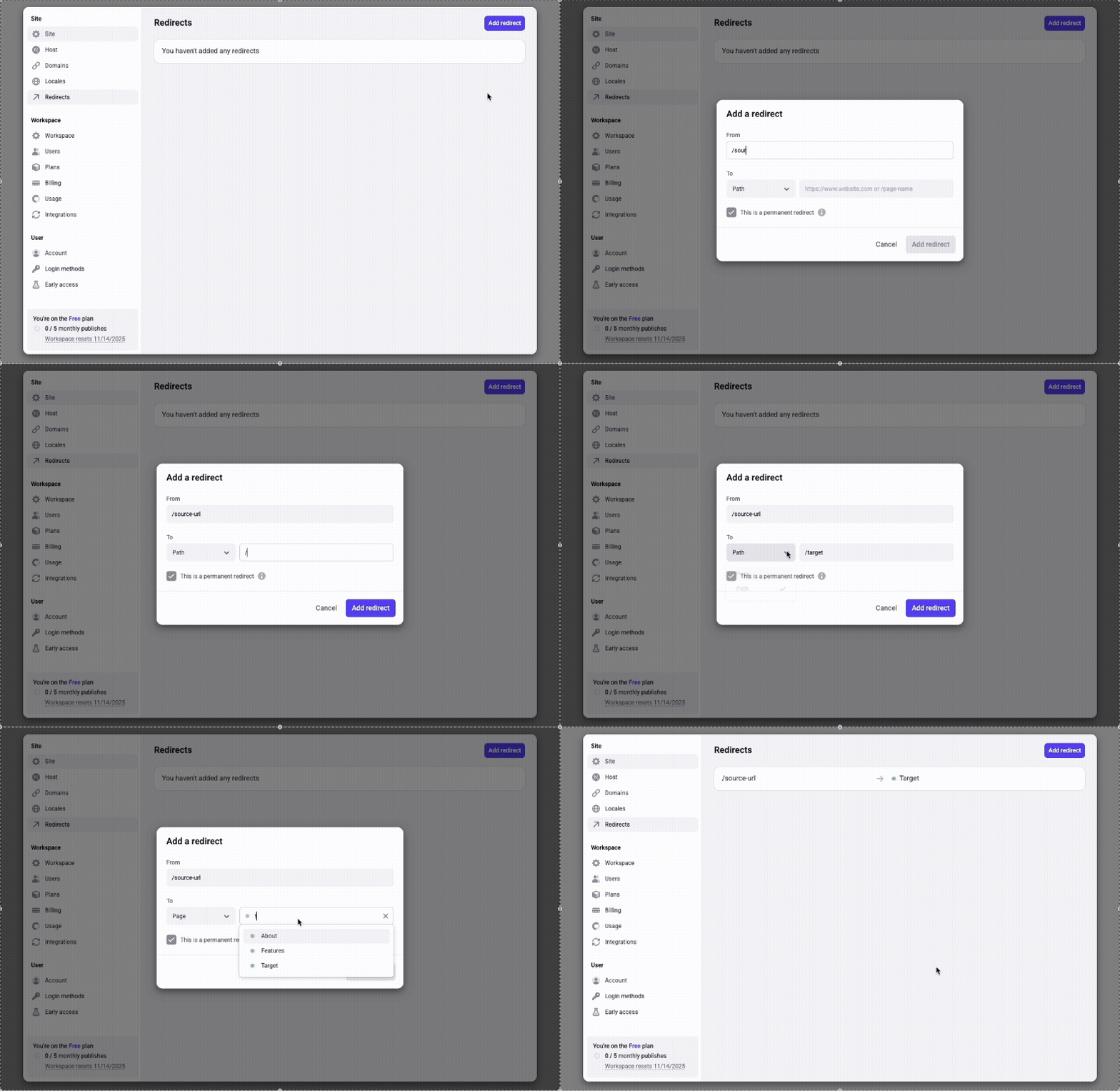
To create a redirect, go to the “Redirects” tab in your settings and click “Add redirect”. Use the pathname for the URL you want to redirect from. You do not need to include your domain. Make sure the pathname begins with a “/”.
You can forward the path to a page on your site or to any URL.
Permanent and temporary redirects
Permanent redirects are commonly used for old URLs, but you may need to temporarily forward a URL. For example, you might have a URL live for the holidays but redirect it to another URL for the rest of the year. Uncheck the box labeled “This is a permanent redirect” to signal to search engines that the redirect is temporary.
Dynamic forwarding
You can use variables to dynamically forward multiple URLs with a single redirect rule. Here are some examples:
The variable (e.g., :name, :post, etc.) can be anything, as long as it’s the same in the “From” and “To” fields.